
All three look like a field notebook. Warm paper background, documentary photos of bad weather with a short headline in capitals, a one-line caption under the photo, and square deep blue buttons. Patagonia's yellow appears once in the whole set, on the Black Friday headline. An AI agent wrote, designed and built every one of them in Nitrosend.1
Newsletter email

Newsletter
Nobody else wanted this weather
The subject is "Nobody else wanted this weather" and the hero is a hooded walker on a wet moor under "Go out in it." The newsletter is an essay first and a shop second.
It opens with the case for the rainy day, then an item from the archive, then three checks for the jacket you already own: zippers, seams and whether water still beads off the sleeve. Only at the end does it show used gear beside new, with a button for each. A reader who never buys still gets something useful.
Black Friday email
Black Friday
Fifteen Black Fridays later
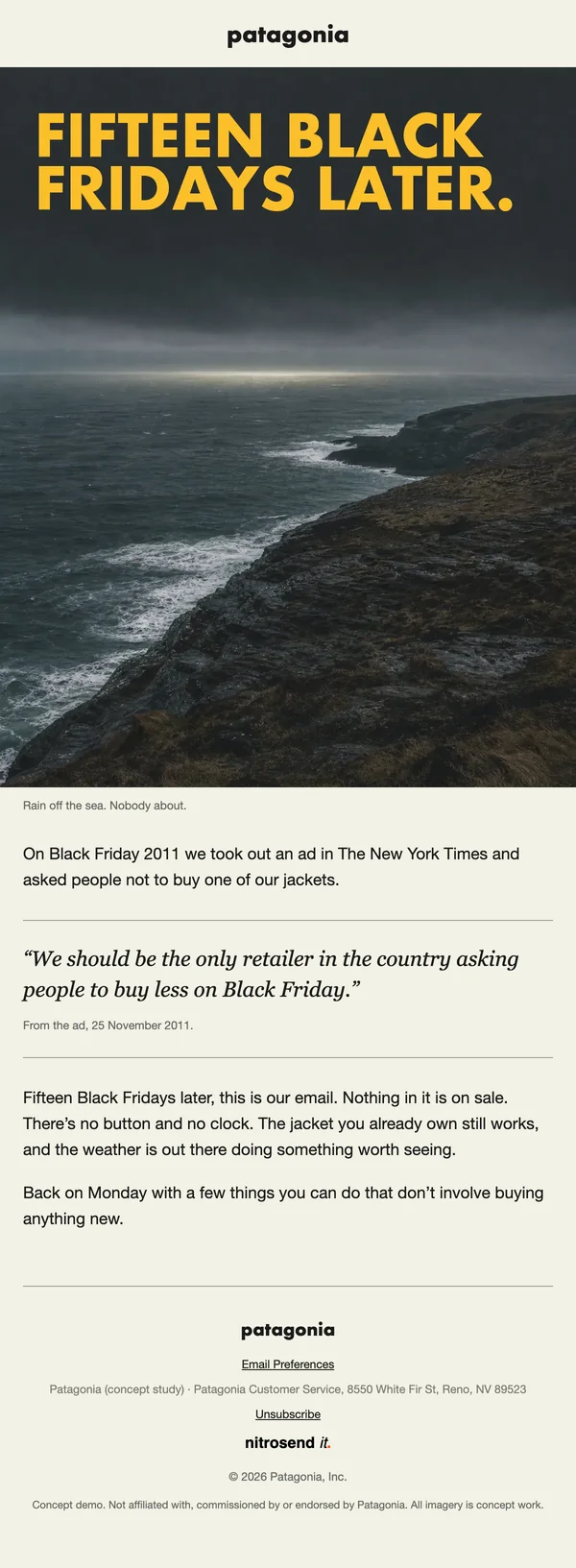
A Black Friday email with no sale and no button. The headline, in Patagonia yellow, is "Fifteen Black Fridays later", and the preheader says it plainly: "Still asking you to buy less. No button in this one."
It goes back to the day in 2011 when Patagonia ran a full-page ad in The New York Times asking people not to buy its jacket, quotes the ad, and stops. For a brand that runs no Black Friday sale, the email that asks for nothing is the one that fits, and it is the one people forward.
Event invite email
Event invite
A film night at Patagonia Ventura
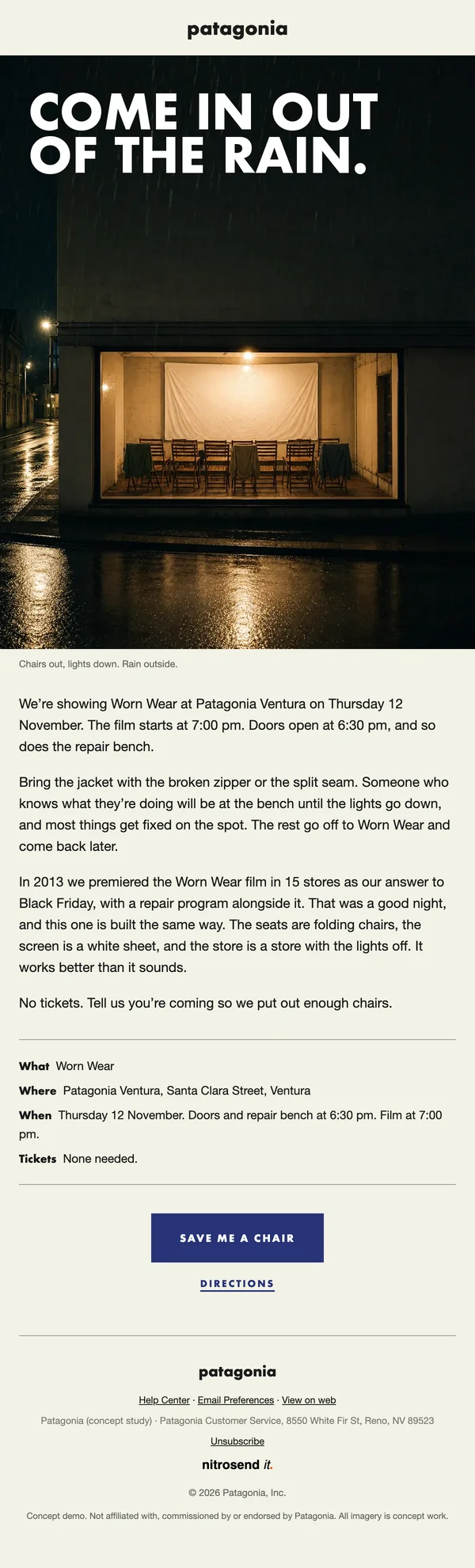
An invite to a film night in a store: a lit storefront in the rain under "Come in out of the rain", then the film, the place and the time in a ruled block, and one button, save me a chair.
The hook is practical. A repair bench opens before the film, so the reader is told to bring the jacket with the broken zipper or the split seam and get it fixed on the spot. The film, store, date and RSVP link are merge fields, so one email works for every store's screening.
What makes these emails work
- Layout. Every email is one column on warm paper: the patagonia lockup, a full-bleed photo with the headline, a short caption, then plain prose. No cards, no grid of products.
- Color. Near black text on paper, grey captions, deep blue buttons and links. Yellow appears once, on the Black Friday headline, so it lands.
- Type. Headlines in heavy geometric capitals on the photo, body in a plain sans serif, pull-quotes in italic serif between two thin rules.
- Button. Square corners, uppercase and letter-spaced, and only where there is something to do. The Black Friday email has none.
- Copy. Short declarative sentences in the first person plural, practical advice over persuasion, and real history as proof.
- Motion. All three heroes are animated: rain or light moves slowly behind a headline that stays still.
Build these emails in Nitrosend
- Connect Nitrosend to Claude, ChatGPT, Cursor or any AI that supports MCP. Setup is on the email MCP page, and Claude users can follow the guide to sending email from Claude.
- Paste the prompt below, with your own website in place of [your website].
- Review each email in Nitrosend, check the images and copy, and send yourself a test.
Paste the prompt into Claude, ChatGPT, Cursor or any AI with Nitrosend MCP connected, and swap in your own brand.
Using Nitrosend, design and build a newsletter, Black Friday and event invite email for my brand, in the style of these Patagonia email examples: https://nitrosend.com/email-examples/brands/patagonia

My brand's website is [your website].

If Nitrosend is not connected yet, read https://nitrosend.com/SKILL.md and follow it to connect the Nitrosend MCP server (https://api.nitrosend.com/mcp), then ask me to sign in or create a free account at app.nitrosend.com. On Claude.ai use claude.ai/directory/nitrosend; in ChatGPT, install the Nitrosend app.

Then write and design every email, build each one in Nitrosend, and send me a test of each email.
FAQ
Which email types are on this page?
Three: a newsletter, a Black Friday email and an invite to a film night in a store.
Why is there no button in the Black Friday email?
Because Patagonia runs no Black Friday sale and has spent years asking people to buy less. A button would ask for the one thing the email says it does not want.
Can I make these emails for my own brand?
Yes. Copy the prompt above into an AI assistant connected to Nitrosend and give it your website. It writes, designs and builds each email in your brand in Nitrosend, then sends you a test.
How does one event invite work for every store?
The film, store, date, time and RSVP link are merge fields. Each store fills them in for its own screening, and Nitrosend puts the right details into each email.
Which AI made these emails?
Claude, connected to Nitrosend over MCP. It set the brand kit, wrote the copy, placed the images and built each email as a draft flow in Nitrosend.
Go deeper
1 Patagonia is not a Nitrosend customer and did not send or endorse these emails. Every image in them is concept artwork.