
![Coastal Recruiting job alert email: [Coastal Recruiting] Hot Startups Hiring, Nov 17](/email-examples/img/1933c84bd5820b83-t.webp)
What a job alert email is
A job alert email is an automated message from a job board, a recruiter or an employer that lists new openings matching what the reader asked to hear about, often sent weekly.
We collected 33 job emails under 19 sender names in two real inboxes, sent between 2016 and 2026, and show 5 emails here. 13 of the 33 have been rendered full length for the email example library. From those we left out 4 that carry a well-known company's name but did not come from that company's domain, 2 repeat sends of the recruiter newsletter (one prints a third party's name), 1 that a recruiter sent to employers instead of job seekers, and 1 whose header image did not load. The library's job alert label also catches 22 property alerts from real estate agencies and property sites. They are counted separately below and not shown.
Browse all 5 job alert emails
A job board's match email with two roles, a weekly digest of five jobs, an alert for a single role, a recruiter's weekly newsletter and a recruiter's plain-text follow-up. Search a sender or subject line, or filter by region. Open any email to see it full length, with its subject line, notes on what it is doing, and a prompt that rebuilds it.
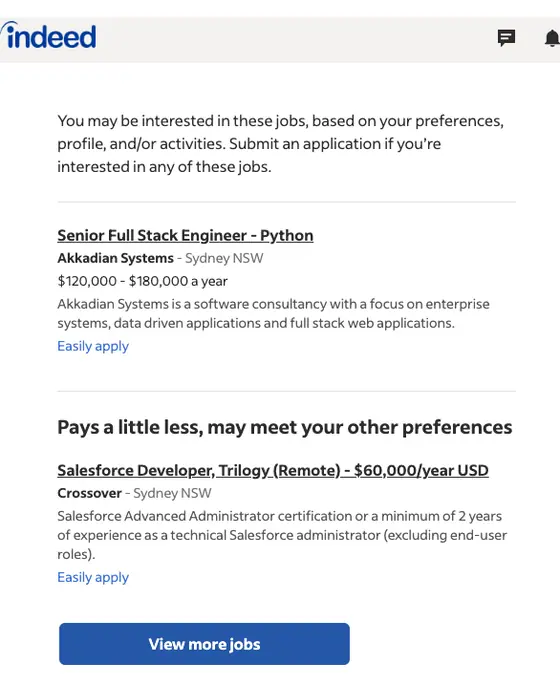
Indeed
Senior Full Stack Engineer - Python at Akkadian Systems in Sydney NSW and 1 more new jobs
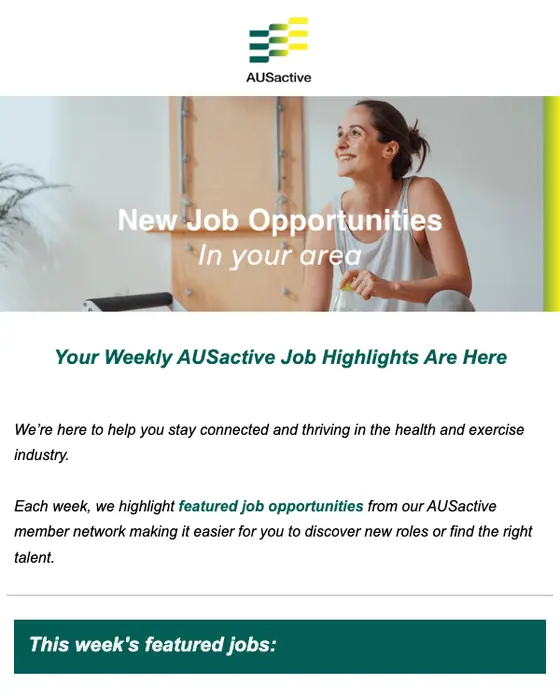
AUSactive
New Week, New Opportunities! Check Out This Week’s Top Jobs
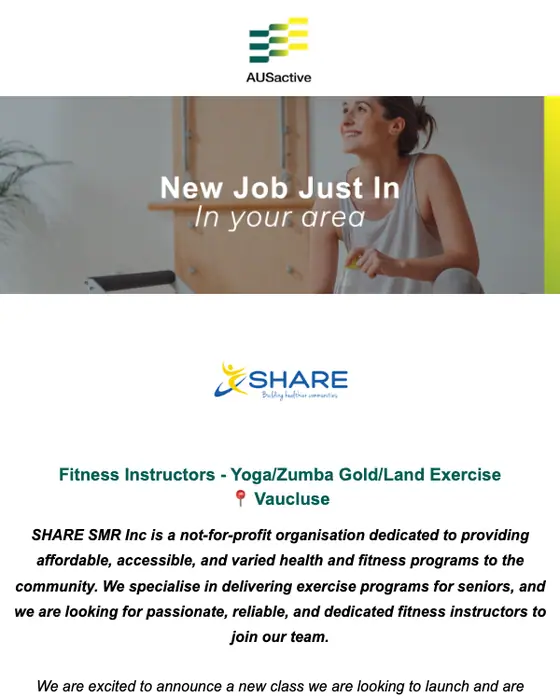
AUSactive
Fitness Instructor - Yoga/Zumba Gold/Land Exercise Wanted in Vaucluse
Coastal Recruiting
[Coastal Recruiting] Hot Startups Hiring, Nov 17
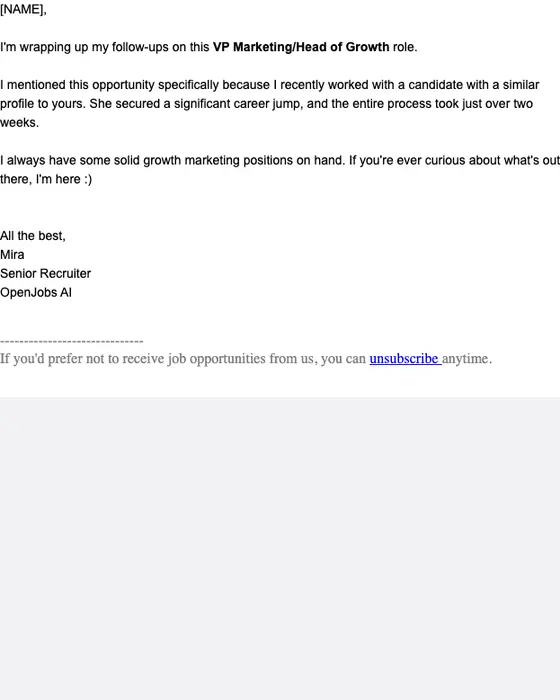
OpenJobs AI
Final Try: VP Marketing/Head of Growth at High-growth AI Research
How job alert emails differ from property alerts and everything else
Job alert emails against property alerts and every other email
33 job emails, 22 property alerts and 12,656 other emails| What we measured | Job emails | Property alerts | Every other email |
|---|---|---|---|
| Subject line describes what is inside | 64% (21 of 33) | 68% (15 of 22) | 31% (3,927 of 12,656) |
| Greets the reader by first name | 48% (16 of 33) | 45% (10 of 22) | 40% (5,088 of 12,656) |
| Exactly one link or button | 36% (12 of 33) | 9% (2 of 22) | 30% (3,812 of 12,656) |
| Five or more links or buttons | 39% (13 of 33) | 41% (9 of 22) | 23% (2,905 of 12,656) |
| Plain-text layout | 24% (8 of 33) | 5% (1 of 22) | 32% (4,018 of 12,656) |
A job email says what is in it. 64% of the 33 have a subject line that describes the contents, against 31% of every other email we collected, and Indeed's match email and AUSactive's single-role alert both lead the subject line with the job title. 8 of the 33 are laid out as plain text.
The subject lines name the format plainly. 12 of the 33 contain the word job or jobs, 4 reuse one line, "your personalized recommendations", from 2016 to 2017, and none of the 33 is a confirmation that someone set up an alert: every one is a send.
The number of links splits two ways. 12 of the 33 job emails have exactly one link or button and 13 have five or more. AUSactive's weekly digest is the second kind: each of its five jobs has its own apply button. Property alerts rarely keep to one link: 2 of 22 do. The 33 and the 22 are small sets, so read the percentages beside their counts.
What the 55 collected are
What the 55 emails labeled job alert are
all 55 collected, read one by one| What the email is | Emails | Share |
|---|---|---|
| Job email that lists several roles | 20 | 36% |
| Job email about one role | 11 | 20% |
| Job email with no role in it: one links to a vacancies page, one shows candidates to employers | 2 | 4% |
| Property alert from a real estate agency or property site | 22 | 40% |
The 22 property alerts tell a reader about new listings the way a job alert tells them about new roles. 7 of them share one subject line, "Your Matched Properties Alert", and 5 name a saved search in the subject. They belong with the real estate email examples, and none is shown or counted in the job figures on this page.
Six that did not come from the company they name
6 of the 33 job emails use the name of a well-known employer, staffing firm or job board, or a near copy of one. None of the 6 came from that company's own domain. 5 were sent from salesforce.com subdomains made of random characters and 1 from a help-desk subdomain, and 5 of the 6 name a different company in the footer line that says who sent the email. All 6 arrived in July and August 2025, pitch marketing roles, and ask the reader to click one button to view details or book a call. We cannot confirm who sent them, so none is shown here. They are counted in the 33 because that is how they arrived: as job emails.
The 5 emails on this page
what each one is| Sender | What it is | Roles in the email | Year |
|---|---|---|---|
| Indeed | Match email from a job board, based on the reader's preferences, profile and activity | 2, each with pay | 2025 |
| AUSactive | Weekly digest of featured jobs from its member network | 5, each with its own apply button | 2025 |
| AUSactive | Alert for a single new role, named in the subject line with its suburb | 1 | 2025 |
| Coastal Recruiting | Weekly recruiter newsletter of startups that are hiring | 4 startups, each with a list of open roles | 2024 |
| OpenJobs AI | Plain-text follow-up from a recruiter, not an alert the reader set up | 1, with no listing | 2026 |
Next to this one
The same library, cut other ways: digest email examples for the weekly round-up format, newsletters from professional services firms for more recruiter sends, and plain-text email examples. By who sends them: professional services and marketplaces.
Questions about job alert emails
This page shows 5 real ones: Indeed's match email with two roles, AUSactive's weekly digest of five jobs and its alert for a single role, Coastal Recruiting's weekly newsletter of four startups that are hiring, and a recruiter's plain-text follow-up about one role. Of the 33 job emails we collected, 20 list several roles and 11 cover one.
A job seeker saves a search on a job board, which then emails the matches. Indeed's 2025 email here says its matches come from your preferences, profile and activity, and links to pause the emails. If you send alerts, 20 of the 33 we collected put several roles in one email. Our email notification template guide covers the build.
The alert you set up yourself is the safe case. Indeed's here came from an indeed.com address and names Indeed in its footer. Unrequested job emails need a closer look: 6 of the 33 we collected used a well-known company's name, or a near copy of one, and none of the 6 came from that company's own domain.
Check the sender's domain and the footer. Of the 6 doubtful job emails we collected, 5 came from salesforce.com subdomains made of random characters and 1 from a help-desk subdomain. 5 of the 6 named a different company in the footer line that says who sent the email. All 6 pitched marketing roles and asked for one click.
13 of the 33 have been rendered full length so far. We left out 4 that use a company's name without coming from its domain, 2 repeat sends of the recruiter newsletter, 1 that a recruiter sent to employers and 1 whose header image did not load. The other 20 count in the percentages but are not shown.