
![Koala AU order confirmation email: Order [REF] confirmed](/email-examples/img/19b76dd8551745a2-t.webp)
![Bandou™ order confirmation email: Order [REF] confirmed](/email-examples/img/19bb6086a20f7cfb-t.webp)
![DoorDash order confirmation email: Order Confirmation for [NAME] from Its Time For Thai](/email-examples/img/194017a3075f49a4-t.webp)
What an order confirmation email is
An order confirmation email is the automated message a business sends straight after a purchase. It confirms the payment went through and records what was bought, what it cost and what happens next.
We collected 471 order confirmations from 349 brands in two ordinary inboxes, 459 of them sent in 2023 or later. 26 are shown here, one per brand. Brands we tag as ecommerce sent 45% of what we collected. 9 of the 26 shown are online stores, 8 tagged ecommerce plus Koala, filed under furniture. The rest are food orders, tickets, digital goods and subscriptions. The percentages on this page describe all 471.
Browse all 26 order confirmation emails
Online stores come first. Filter by industry, style or tone, or search a brand or subject line. Open any email to see it full length, with its subject line, notes on what it is doing, and a prompt that rebuilds it.
What order confirmations include
What 471 order confirmations include
every order confirmation in the two inboxes, all industries| What we measured | Share of the 471 |
|---|---|
| Order number in the subject line | 58% |
| Order number or reference in the email | 82% |
| Prices or totals in the email | 75% |
| Delivery or billing address | 69% |
| Card or account number, masked | 27% |
| Items laid out in a table | 30% |
| Main button opens or tracks the order | 46% |
| Main button says “track” | 20 of 471 |
| Greets by first name | 70% |
| Plain-text layout | 24% |
| Hero image | 6 of 471 |
| Median calls to action | 2 |
Guides to this email list the same parts: the order number in the subject, the items and prices, the totals, the delivery details and a way to get help. Most real sends carry the order number somewhere, 82%, but only 58% put it in the subject line. The address appears in 69%: in 185 of the 211 tagged ecommerce, but in 141 of the other 260, since food pickups, tickets and software have nothing to deliver. Only 20 label the main button “track”. The most common label, on 115, is “View your order”. The order number, price, address and card rows count the emails where our copy had that detail removed for privacy, so they are floors.
What is in the collected set
By industry
471 emails from 349 brands| Industry | Emails | Share of the set |
|---|---|---|
| Ecommerce | 211 | 45% |
| Retail and fashion | 52 | 11% |
| Food and drink | 43 | 9% |
| Marketplaces | 26 | 6% |
| Events | 23 | 5% |
| Home and furniture | 22 | 5% |
| SaaS | 17 | 4% |
| Healthcare | 15 | 3% |
The set leans Australian, because both inboxes are: 397 (84%) came from Australian senders and 43 from US ones. By year, 107 were sent in 2026, 174 in 2025, 125 in 2024, 53 in 2023 and 12 earlier. 179 load their images from Shopify’s file servers. 80 of the 471 had already been removed from the library because they showed personal details. The 211 from online stores have their own page.
What the shown emails do
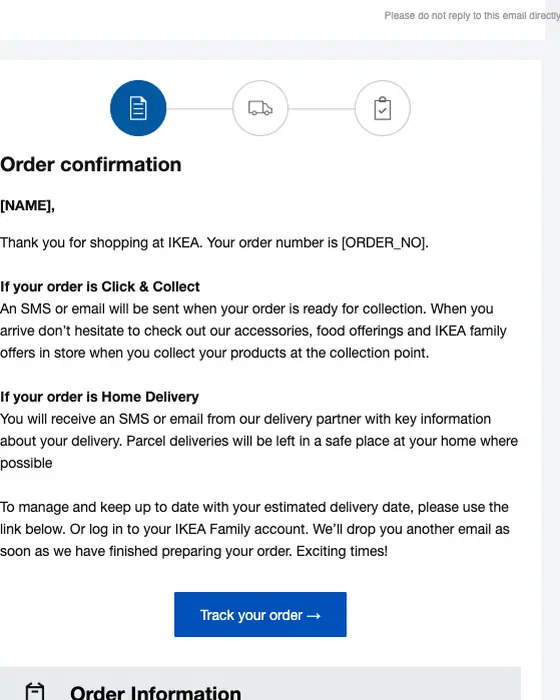
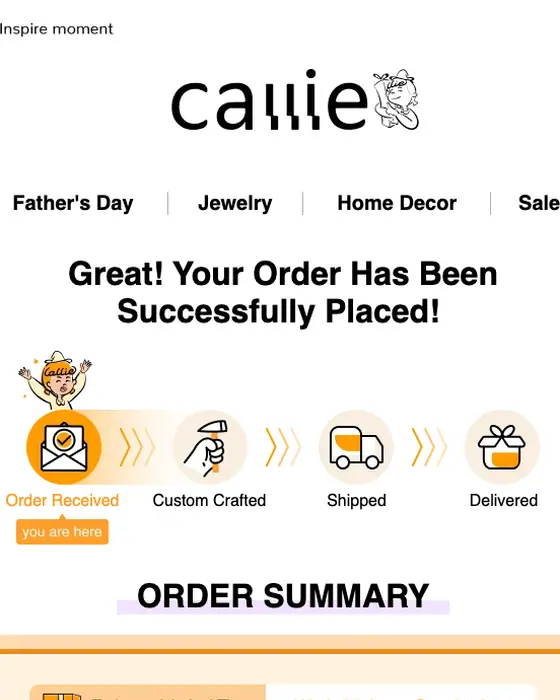
IKEA and Koala are the complete store version. IKEA opens with a three-step tracker, splits its instructions for click and collect and home delivery, and follows them with a “Track your order” button. Koala gives each item its own estimated arrival with a delivery window. Callie shows a four-stage tracker, from order received through custom crafted and shipped to delivered.
Food orders are about the pickup or the drop-off. FISHBOWL gives an estimated pickup time and says it will text you when the order is ready. DoorDash gives a delivery window and a “Track Your Order” button.
Tickets are about the door. TodayTix says the tickets are held under your name at the box office and to bring photo ID, and StubHub says it has told the seller and gives the date your tickets will arrive.
Some drop the delivery part. Karaoke Version, selling downloads, replaces it with steps for downloading the file, and UpAiry’s is a letter from its owner, Zach.
Most of the set stops at the receipt. 246 of the 471 (52%) are tagged utilitarian in design, 22 (5%) show a grid of products and 6 open with a hero image. It arrives while the buyer is checking the order, and the space after the receipt is the part most of these emails leave unused. That is the case for treating an order confirmation as a brand moment rather than a default template.
Next to this one
The emails either side of an order confirmation are payment confirmations, receipts, shipping emails and delivery emails. Bookings have their own page.
Questions about order confirmation emails
Put the order number in the subject line, as 58% of the 471 order confirmations we collected do. In the body, list the items and prices, the total, where it is going or how to collect it, and one button to view the order. A full template is in our order confirmation email guide.
Let your store or booking system send it automatically the moment payment clears, with the order number in the subject. Then give one next step: 46% of the 471 we collected point the main button at the order itself, most often labeled “View your order”.
Make it easy to check. 75% of the 471 order confirmations we collected show prices or totals and 69% show a delivery or billing address, so the customer can spot a mistake. Keep the design plain: only 6 of the 471 open with a hero image.
Say it plainly. 96% of the 471 subject lines we collected are plain statements such as “Your order is confirmed”. Then say what was ordered, what it cost and what happens next: when it ships, when to collect it, or where the tickets are.
The library shows emails we have rendered full length, and 56 order confirmations had been. We took off 24 that showed a ticket QR code, personal details or a broken or clipped image, 5 repeats from the same brand and 1 that printed an order number. Another 80 were removed earlier for personal details. The percentages describe all 471.