
All five are a poster on top and a spec underneath. The header and hero share one flat color, the headline sits on the art at poster size with a small monospace tag that says where you are, and the body below is plain text with monospace keys, flat color blocks and a pill button. An AI agent wrote, designed and built every one of them in Nitrosend.1
Welcome email
Welcome
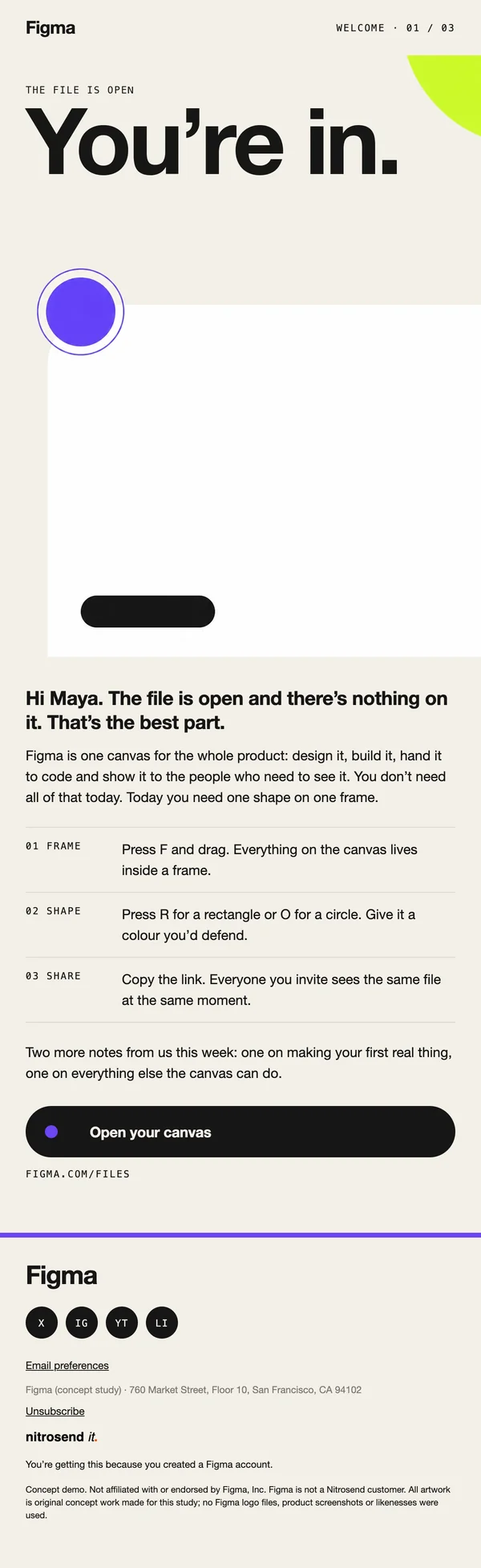
Welcome to Figma. Your canvas is open.
"Welcome to Figma. Your canvas is open." The hero says "You're in." and the first line of the body finds the upside of a blank file: there is nothing on it, and that is the best part.
Then it gets practical. The email tells a new user where to click first instead of listing every feature, and the small tag in the header, welcome 01 of 03, tells them more is coming without a word of copy.
Newsletter email

Newsletter
Canvas notes no.1: Code is a layer now
Issue one of "Canvas notes", led by one idea in the headline: code is a layer now. The subject repeats it, so the reader knows the story before they open.
The body is a monthly round-up of what shipped at Config India in October, set as short items with monospace labels, and it ends with a call for Config 2027 talks. One theme in front, the list behind it, so a busy designer gets the point in a glance.
Event invite email
Event invite
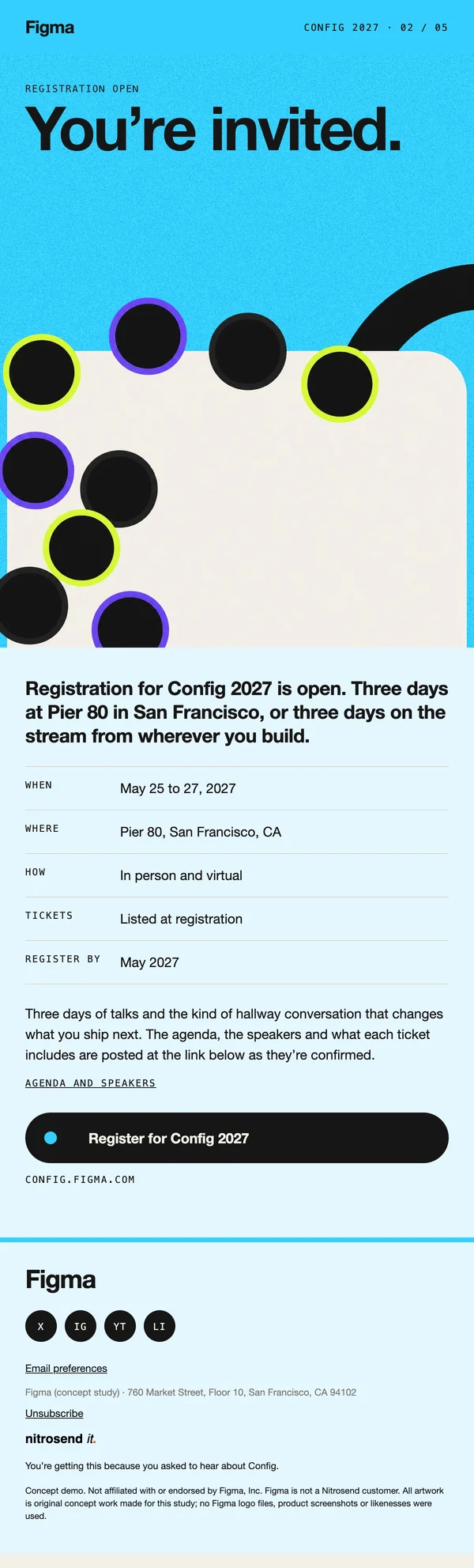
Config 2027 registration is open
The registration email for Config 2027, the second in a five-email run up to the conference. The subject is the news, "Config 2027 registration is open", and the preheader gives the choice: three days at Pier 80, or three days on the stream.
Under the hero sits a spec table, when and where, the same format a designer reads in a file. Config 2027 runs May 25 to 27 at Pier 80 in San Francisco, in person and online, and the email says only that.
Survey email
Survey
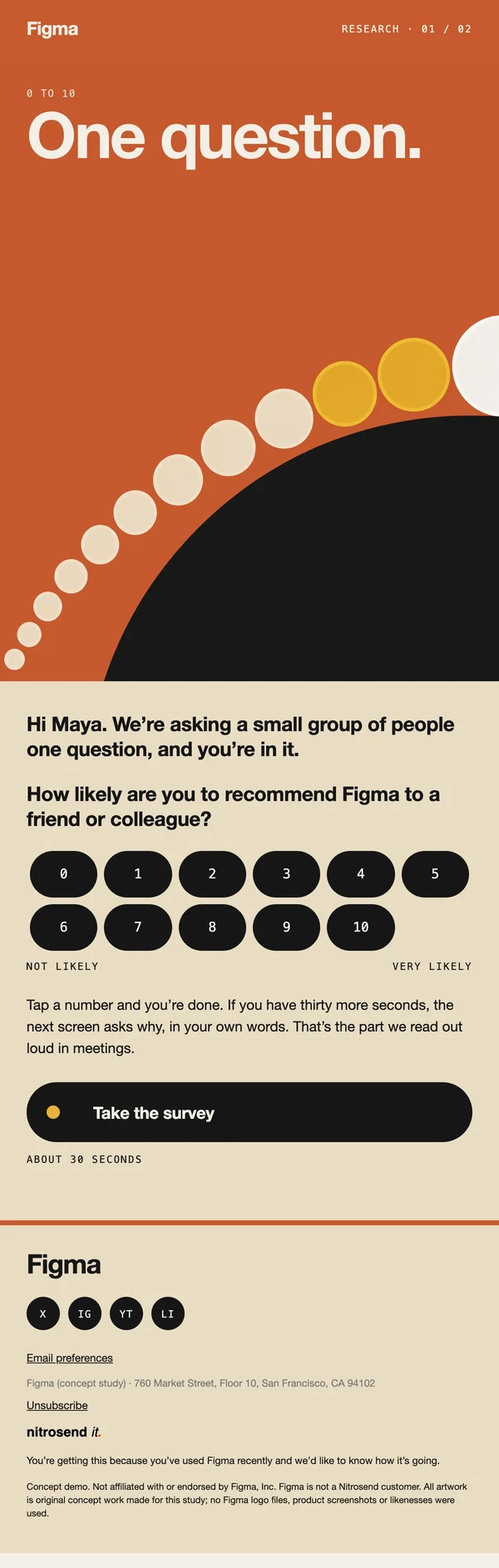
One question about Figma
"One question about Figma." The subject, the hero and the body all promise the same small thing: one 0 to 10 question, about thirty seconds, then back to the canvas.
The scale sits in the email itself, so a reader can tap a number without opening a survey page. Making the ask this small, and saying so three times, is what gets an answer from people who never fill in surveys.
Product launch email
Product launch
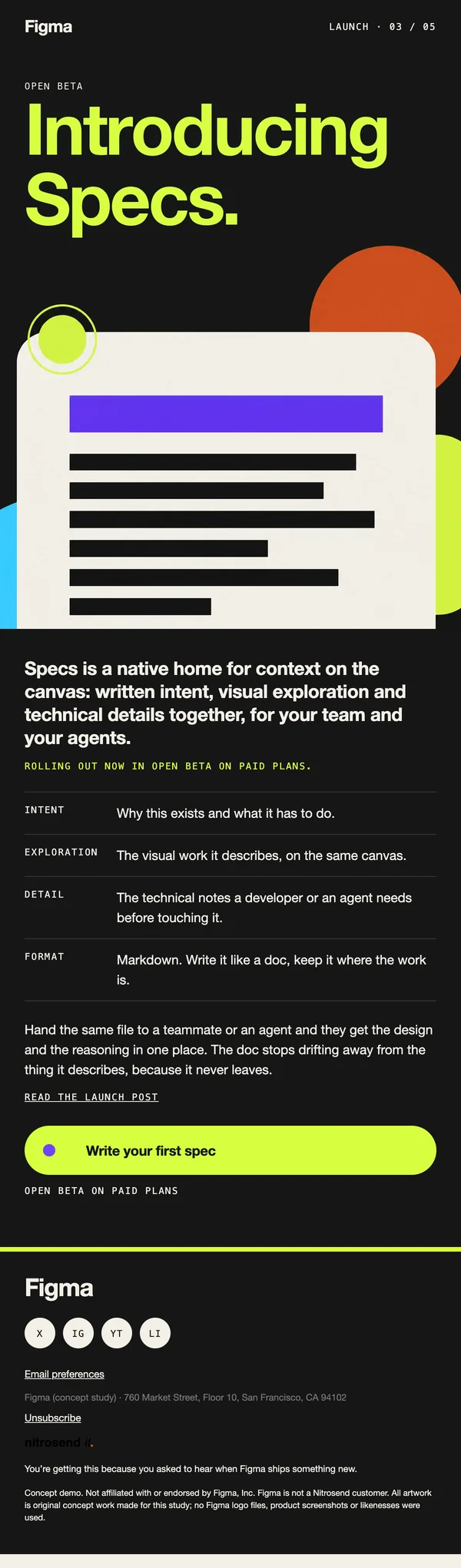
Introducing Figma Specs
The announcement email of a five-email launch: "Introducing Figma Specs", in lime on a near black hero, the only dark email in the set.
It says what Specs is in one sentence, a home on the canvas for written intent, visual exploration and technical detail, and who can use it today: rolling out in open beta on paid plans. Saying what is ready and for whom up front saves the support tickets a vague launch email causes.
What makes these emails work
- Layout. Every email has the same skeleton: one flat ground color behind the header and hero, a poster headline, a monospace index tag, then plain body text, spec tables or blocks, one pill button and a thick bar above the footer.
- Color. A different flat ground per email, from paper to cyan, clay and near black, all from one palette of bold primaries and earthy tones. No gradients and no outlines.
- Type. A heavy grotesque for headlines and body, and a monospace face for tags, keys and labels, so the emails read like a design file.
- Button. A pill with a small node on it, the same in every email.
- Copy. Short and specific. The subject is the news, the preheader gives the detail, and facts like dates and venues come from Figma's own pages.
- Motion. Two heroes are animated, the welcome and the launch; the rest are still.
Build these emails in Nitrosend
- Connect Nitrosend to Claude, ChatGPT, Cursor or any AI that supports MCP. Setup is on the email MCP page, and Claude users can follow the guide to sending email from Claude.
- Paste the prompt below, with your own website in place of [your website].
- Review each email in Nitrosend, check the images and copy, and send yourself a test.
Paste the prompt into Claude, ChatGPT, Cursor or any AI with Nitrosend MCP connected, and swap in your own brand.
Using Nitrosend, design and build a welcome, newsletter, event invite, survey and product launch email for my brand, in the style of these Figma email examples: https://nitrosend.com/email-examples/brands/figma

My brand's website is [your website].

If Nitrosend is not connected yet, read https://nitrosend.com/SKILL.md and follow it to connect the Nitrosend MCP server (https://api.nitrosend.com/mcp), then ask me to sign in or create a free account at app.nitrosend.com. On Claude.ai use claude.ai/directory/nitrosend; in ChatGPT, install the Nitrosend app.

Then write and design every email, build each one in Nitrosend, and send me a test of each email.
FAQ
Which email types are on this page?
Five: a welcome, a newsletter, an event invite for Config, a one-question survey and a product launch.
Why is the event invite email number two?
A large conference usually gets five emails: save the date, registration open, a reminder, the day before and a thank you. This page shows the registration email, the one that does the main job.
Can I make these emails for my own product?
Yes. Copy the prompt above into an AI assistant connected to Nitrosend and give it your website. It writes, designs and builds each email in your brand in Nitrosend, then sends you a test.
How does the survey work inside the email?
The 0 to 10 scale is a row of links in the email. Tapping a number records the answer and opens a short follow-up screen.
Which AI made these emails?
Claude, connected to Nitrosend over MCP. It set the brand kit, wrote the copy, placed the images and built each email as a draft flow in Nitrosend.
Go deeper
1 Figma is not a Nitrosend customer and did not send or endorse these emails. Every image in them is concept artwork.