
All four are written by the owl. Duo talks in the first person, as a slightly too keen teacher, and every email is built from the same pieces: a bright illustrated hero with a lowercase headline, a few short paragraphs, one fat green button and a plain card with the learner's own numbers. An AI agent wrote, designed and built every one of them in Nitrosend.1
Welcome email
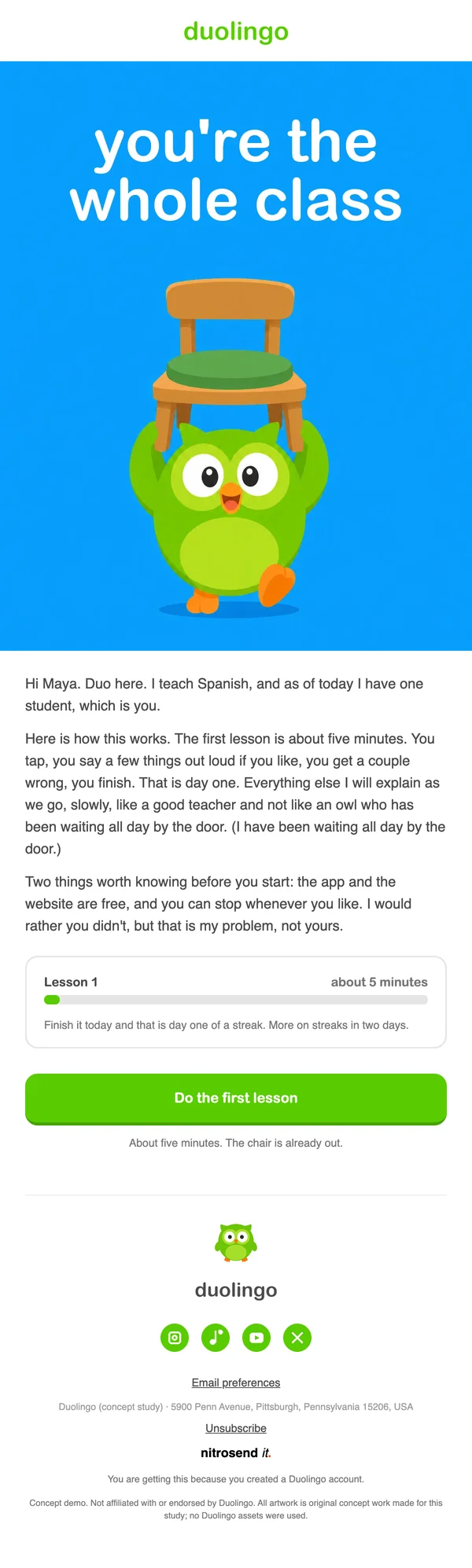
Welcome
`Maya, your Spanish class has one student 🪑`
The subject sets the joke and the stakes in one line: "Maya, your Spanish class has one student 🪑". The headline on the hero says it again: you're the whole class.
Then the body takes the fear out of day one. The first lesson is about five minutes, you will get a couple wrong, you finish, that is it. The name and the language are merge fields, so every new learner gets a class of one in their own language.
Re-engagement email
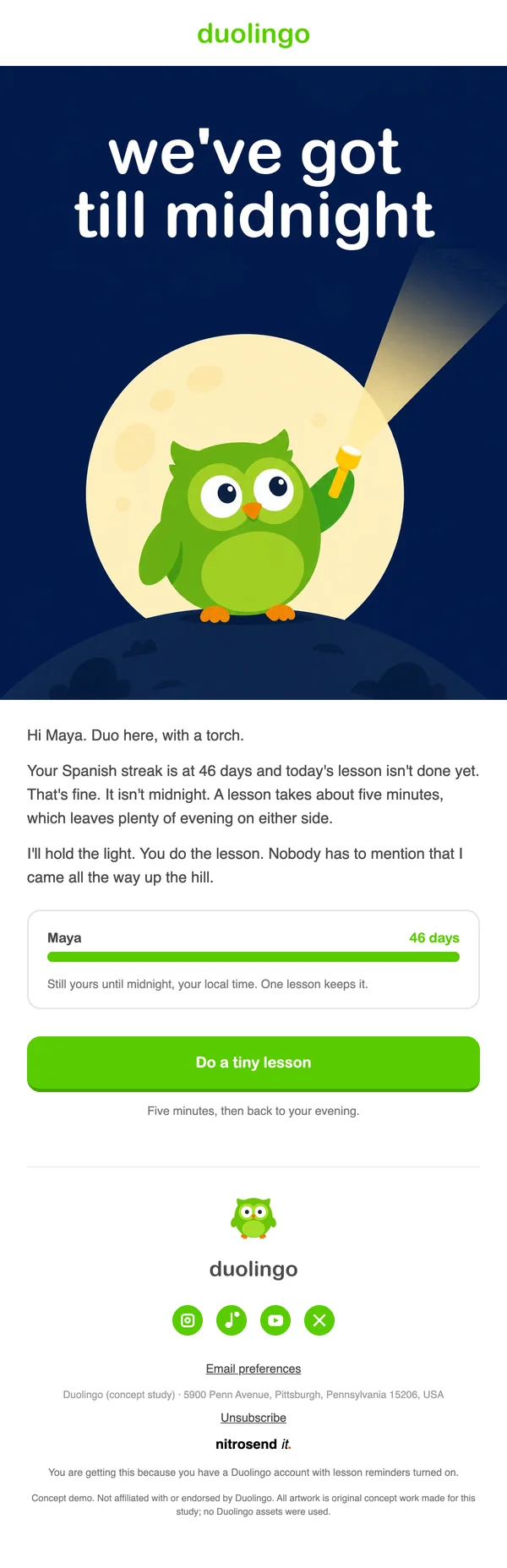
Re-engagement
`Maya, your 46 day streak has until midnight 🔦`
Sent at 8pm on a day the lesson has not been done, with the deadline in the subject: "Maya, your 46 day streak has until midnight 🔦".
It is urgent without a threat. Duo has brought a torch, a lesson takes about five minutes, and "that leaves plenty of evening on either side". A card under the copy shows the learner's name and their streak in green, so what is at stake is their own number, not a discount.
Survey email
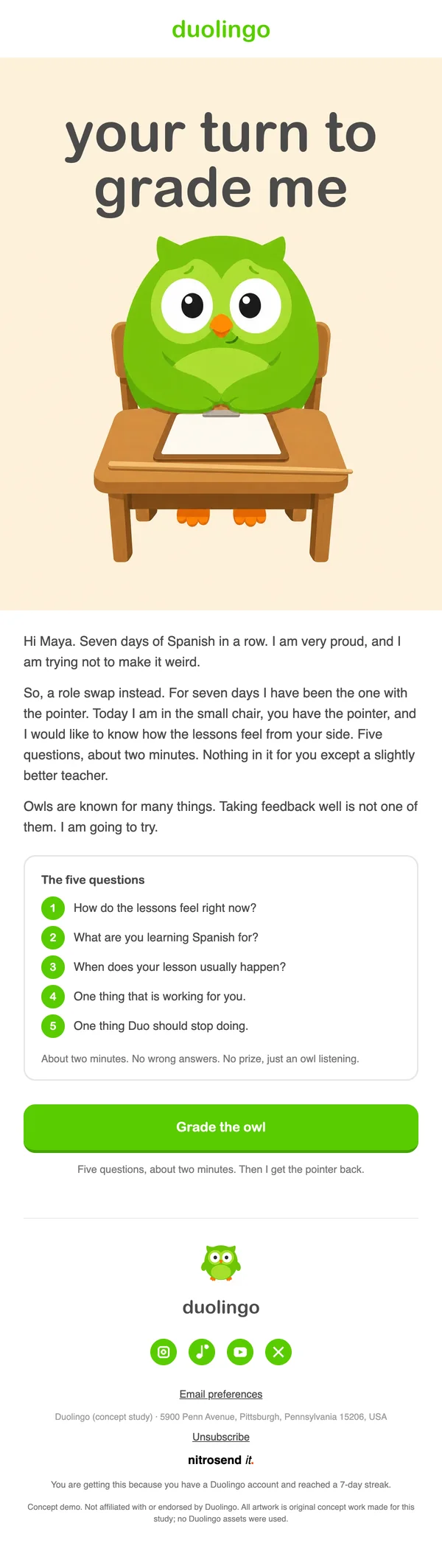
Survey
`Maya, you did 7 days. Now grade the owl 📝`
A survey sent the morning after a seven-day streak, framed as a role swap: "your turn to grade me". The learner holds the pointer and the owl sits in the small chair.
Timing does the work. Asking right after a win means the person is in a good mood and still remembers the week. The preheader sets the cost before the click: five questions, about two minutes, no wrong answers.
Year in review email
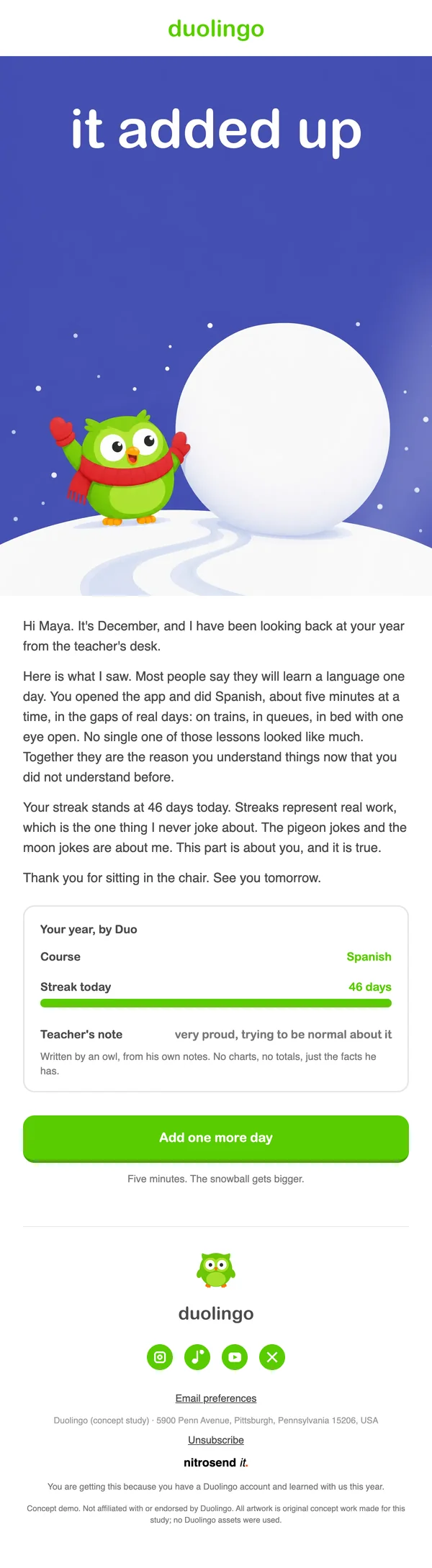
Christmas
`Maya, your year of Spanish, by Duo ❄️`
A December look back from "the teacher's desk", under the headline "it added up". A small card lists the course and the streak today, so the learner's year is the content.
It flatters the reader with something true: most people say they will learn a language one day, and this person did, five minutes at a time, on trains and in queues. It is the one email in the set that asks for nothing, and the kind people screenshot.
What makes these emails work
- Layout. The same frame in every email: the green wordmark, an illustrated hero with the headline at the top, short paragraphs, one big button, and a bordered card with the learner's numbers.
- Color. Duolingo green for the button, wordmark and progress bars, dark grey for all the type, and white everywhere else.
- Type. Lowercase rounded headlines on the hero and a plain sans serif body at a large size.
- Button. One wide green button with a darker edge underneath, so it looks pressable, such as do a tiny lesson.
- Copy. The owl speaks in the first person, with a small joke in each subject line and an emoji at the end of it. The learner's name, language and streak are merge fields.
- Motion. All four heroes are animated: the illustration moves slowly while the headline stays still.
Build these emails in Nitrosend
- Connect Nitrosend to Claude, ChatGPT, Cursor or any AI that supports MCP. Setup is on the email MCP page, and Claude users can follow the guide to sending email from Claude.
- Paste the prompt below, with your own website in place of [your website].
- Review each email in Nitrosend, check the images and copy, and send yourself a test.
Paste the prompt into Claude, ChatGPT, Cursor or any AI with Nitrosend MCP connected, and swap in your own brand.
Using Nitrosend, design and build a welcome, re-engagement, survey and year in review email for my brand, in the style of these Duolingo email examples: https://nitrosend.com/email-examples/brands/duolingo

My brand's website is [your website].

If Nitrosend is not connected yet, read https://nitrosend.com/SKILL.md and follow it to connect the Nitrosend MCP server (https://api.nitrosend.com/mcp), then ask me to sign in or create a free account at app.nitrosend.com. On Claude.ai use claude.ai/directory/nitrosend; in ChatGPT, install the Nitrosend app.

Then write and design every email, build each one in Nitrosend, and send me a test of each email.
FAQ
Which email types are on this page?
Four: a welcome, a re-engagement email about a streak, a survey and a year in review.
Where do the name, language and streak come from?
They are merge fields. Nitrosend fills them from the learner's own data when each email sends, so every learner sees their own name, course and streak.
Can I make these emails for my own app?
Yes. Copy the prompt above into an AI assistant connected to Nitrosend and give it your website. It writes, designs and builds each email in your brand in Nitrosend, then sends you a test.
When is the survey sent?
The morning after a seven-day streak, when the learner has just done something they are proud of.
Which AI made these emails?
Claude, connected to Nitrosend over MCP. It set the brand kit, wrote the copy, placed the images and built each email as a draft flow in Nitrosend.
Go deeper
1 Duolingo is not a Nitrosend customer and did not send or endorse these emails. Every image in them is concept artwork.